
Native Gutenberg Blocks
Insert the dedicated AdFuz Advertiser Portal and AdFuz Marketplace blocks into any page with in-editor live preview badges and initial tab controls.
Monetize your website by selling high-impact advertising inventory directly to sponsors, brands, and agencies — without relying on low-RPM third-party ad networks or giving away commissions.
AdFuz Pro Direct Ad Sales & Advertiser Marketplace provides an end-to-end self-service advertising marketplace for WordPress. When an ad space is vacant, it displays a dimension-adaptive “Advertise Here” banner. Advertisers can browse available placements, select flight dates from an interactive calendar with automated date blackout protection, upload creative banners, review real-time pricing calculations, and complete instant checkout via GateFuz (Stripe, PayPal, Bank Wire).
Publishers maintain full control through an Ad Moderation Queue, an Orders & Billings Ledger, and an automated Refund Queue integrated directly with the Stripe REST API.
Native Gutenberg Blocks
Insert the dedicated AdFuz Advertiser Portal and AdFuz Marketplace blocks into any page with in-editor live preview badges and initial tab controls.
Interactive Booking Drawer
A mobile-responsive slide-out drawer featuring a Flatpickr flight calendar, dynamic daily flat-rate and CPM pricing calculations, and banner upload previews.
Automated Date Blackouts
Prevents double-booking conflicts by automatically graying out dates already reserved by confirmed or delivering campaigns.
15-Minute Inventory Holds
Temporarily locks selected calendar dates for 15 minutes during checkout to ensure no competing advertiser can book the same slot simultaneously.
Multi-Gateway Checkout
Powered by GateFuz to support Stripe Elements (Credit Cards, Apple Pay, Google Pay), PayPal, and Direct Bank Wire Transfer.
One-Click Ad Moderation
Streamlined admin queue under Ad Moderation with instant “Approve & Go Live” and confirmation-modal “Reject & Request Refund” workflows.
Automated Stripe Refunds
One-click programmatic refund execution through the Stripe REST API (/v1/refunds), logging gateway references (re_...) and releasing reserved dates.
Advertiser Self-Service Hub
Private advertiser dashboard with delivery KPIs, real-time campaign countdowns, rejection reason notices, and official PDF invoice downloads.
Publishers can display the self-service marketplace or advertiser hub using native Gutenberg blocks or shortcodes.
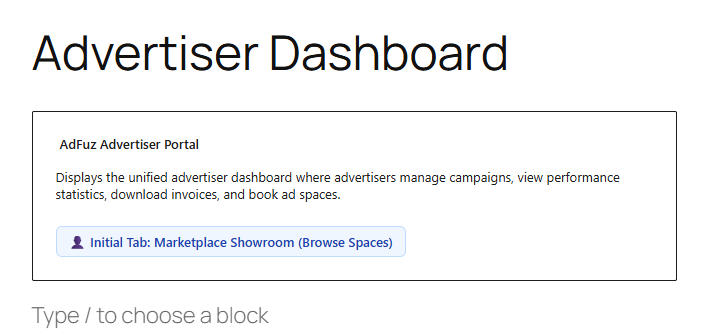
You can also embed the portal or showroom into page builders (Elementor, Divi) or classic templates:
[adfuz_advertiser_portal default="marketplace"]Or embed the dedicated showroom directly:
[adfuz_marketplace]When advertisers visit the portal page on your website, they access the unified Advertiser Hub & Marketplace:
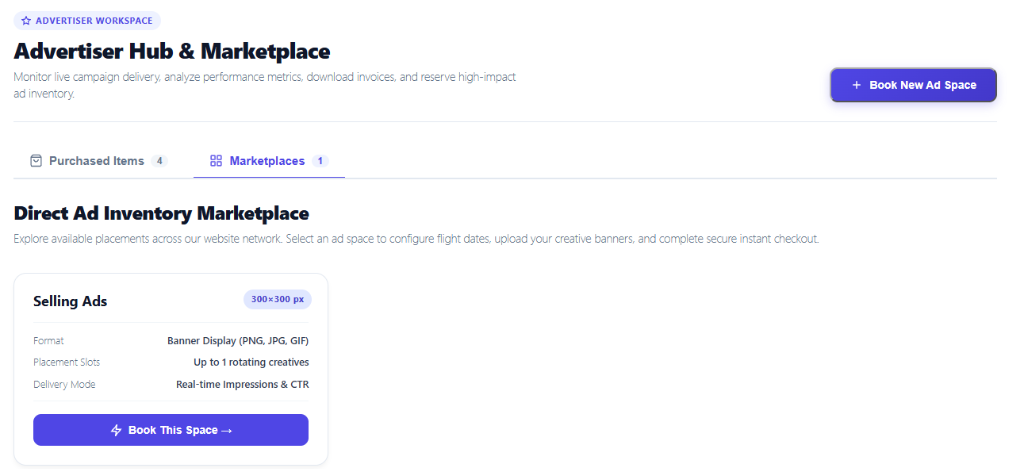
300×300 px), supported file formats (PNG, JPG, GIF), placement slots, and delivery mode (Real-time Impressions & CTR).The slide-out drawer provides a guided, friction-free booking flow:
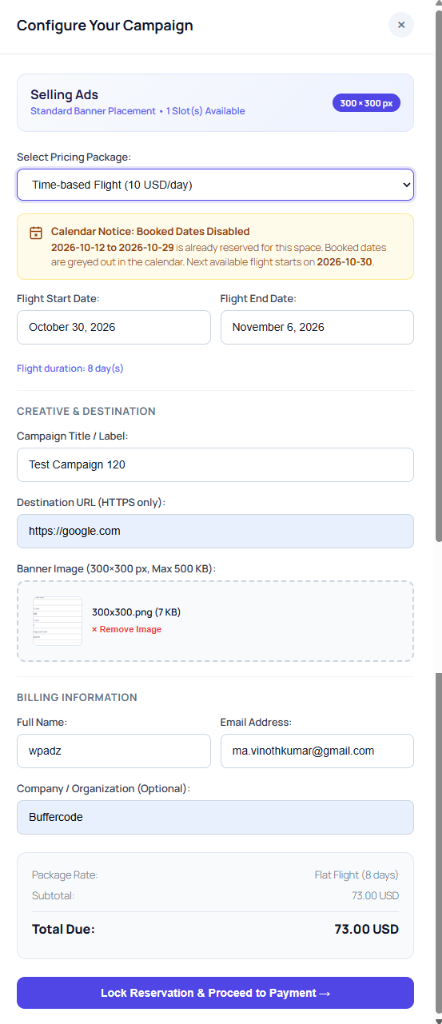
Select Pricing Package: Choose from the available pricing packages configured by the publisher (e.g., Time-based Flight at 10 USD/day).
Automated Booked Dates Blackout Notice: The interactive calendar inspects active reservations in real-time. If dates are already booked, the drawer alerts the user with an intuitive notice:
Calendar Notice: Booked Dates Disabled
2026-10-12 to 2026-10-29 is already reserved for this space. Booked dates are greyed out in the calendar. Next available flight starts on 2026-10-30. This guarantees zero double-booking conflicts across overlapping flights.
Select Flight Dates: The advertiser selects their Flight Start Date and Flight End Date. The total flight duration (e.g., 8 day(s)) is calculated automatically.
Creative & Destination Configuration:
300×300 px, max 500 KB), with instant thumbnail preview and remove controls.Billing Details & Order Review:
Lock Reservation: Clicking Lock Reservation & Proceed to Payment → transitions the drawer to the secure payment view.
To protect against race conditions where two advertisers try to book the same ad space simultaneously, AdFuz initiates an automated 15-Minute Inventory Hold:
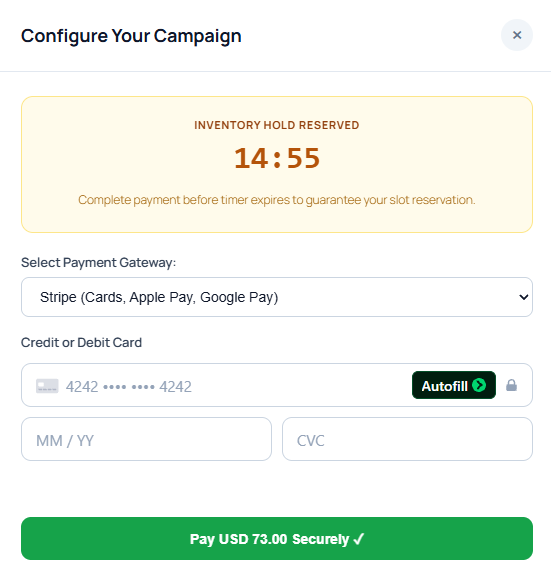
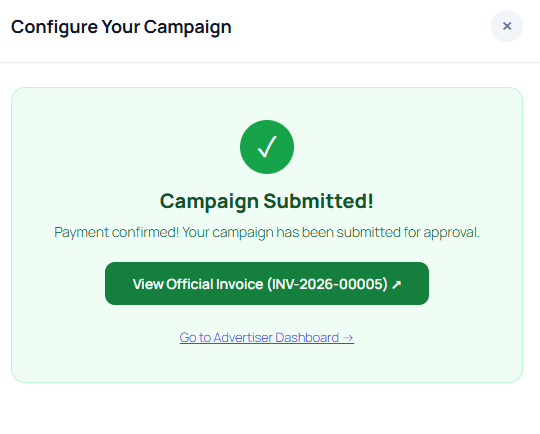
14:55) holds the calendar dates exclusively for the prospective buyer while they enter payment details.Once payment succeeds, the advertiser receives immediate visual feedback:
Under the Purchased Items tab, advertisers have full transparency into their investments and live delivery statistics:
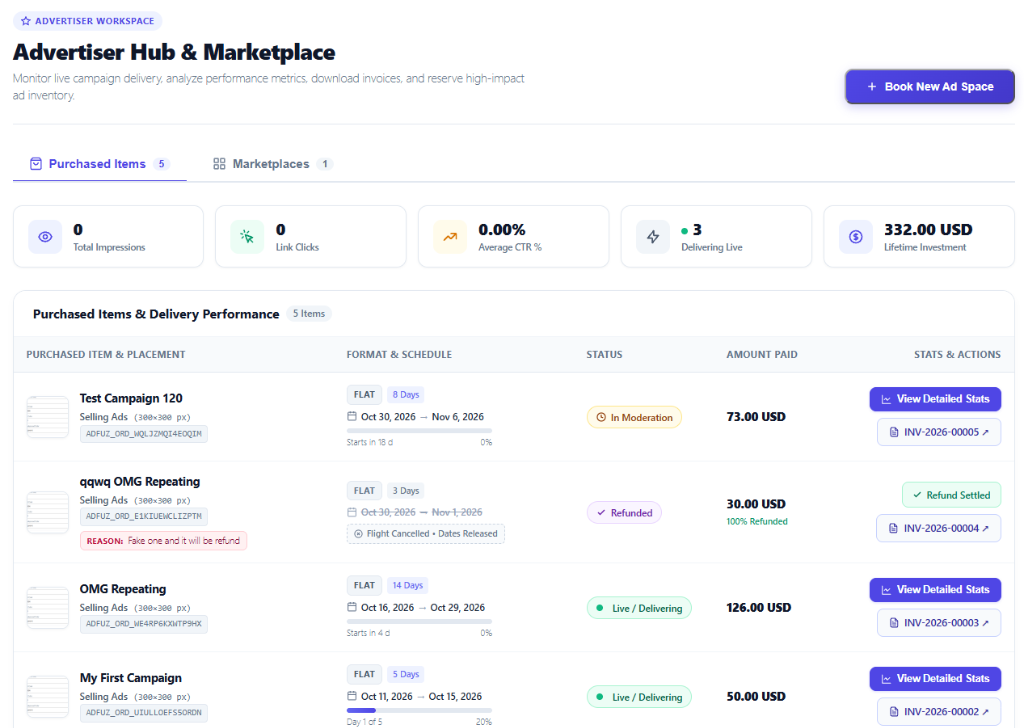
At the top of the dashboard, aggregated KPI cards display:
Each purchased campaign displays:
300×300 px), and order token (ADFUZ_ORD_...).<s>Oct 30 → Nov 1</s>), a [⊗ Flight Cancelled • Dates Released] pill, and the exact publisher rejection notice (REASON: Fake one and it will be refund).INV-2026-00005 ↗).Every newly purchased ad enters the Direct Ad Moderation Queue under AdFuz → Ad Moderation:
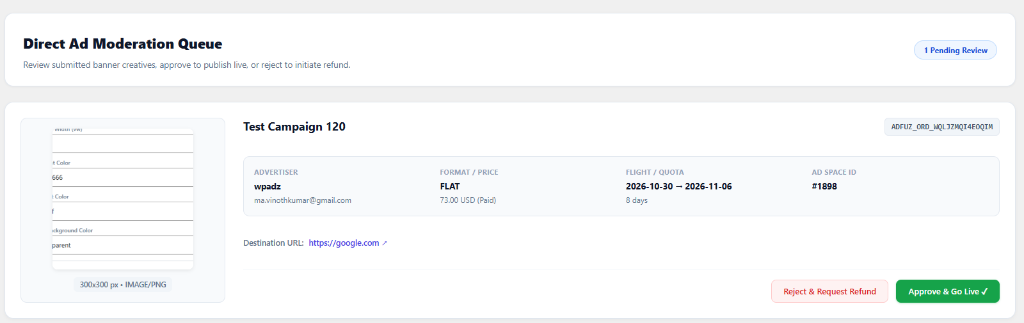
Publishers maintain full editorial control before any advertiser banner appears live on the site:
IMAGE/PNG), dimensions (300×300 px), and visual quality.ADFUZ_ORD_WQLJZMQT4EOQTM).FLAT 73.00 USD Paid), duration (8 days), and scheduled flight window (2026-10-30 — 2026-11-06).https://google.com ↗) is safe and compliant.Clicking Approve & Go Live ✓ immediately:
active.Delivering Live.If the creative or landing page violates site policy:
refund_required.All ad space bookings, payments, and generated invoices are tracked in the centralized ledger under AdFuz → Orders & Billings:
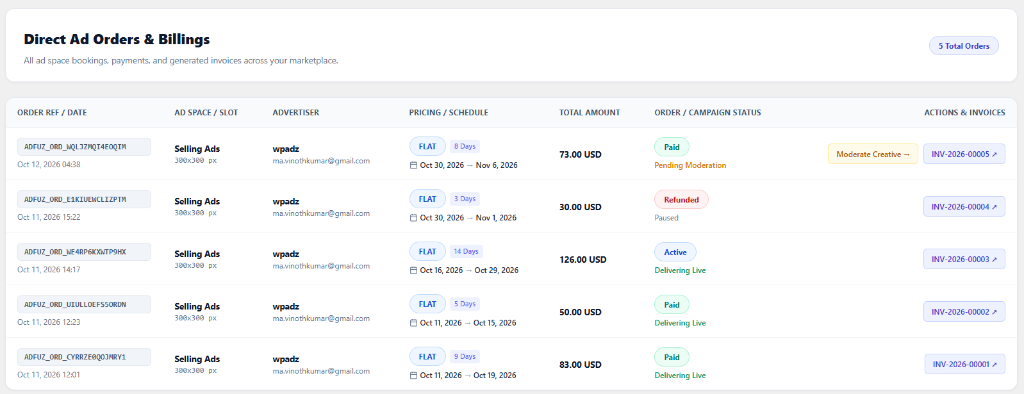
Selling Ads - 300×300 px).FLAT 8 Days) and scheduled dates.Pending Moderation: Awaiting publisher approval in moderation queue.Delivering Live: Approved and currently rotating live to visitors.Paused: Cancelled or rejected order with completed Stripe refund.INV-2026-00005 ↗, INV-2026-00004 ↗).When a campaign is rejected during moderation, it routes to AdFuz → Refunds:

Audit Refund Cases:
Review the pending cases in the queue with order reference, advertiser email, refund amount (30.00 USD), gateway (STRIPE), and publisher reason (“Fake one and it will be refund”).
Execute Automated Stripe Refund:
Clicking Issue Refund contacts the Stripe API (/v1/refunds):
PaymentIntent (pi_...) or Charge (ch_...).re_3UP0ahAbrsC...).Status Synchronization:
Refunded.100% Refunded with a ✓ Refund Settled badge.Publishers can turn any Ad Space into a self-service direct sales slot with a single toggle:
$10.00 per day or $5.00 per 1k impressions).USD, EUR, GBP).3 days).30 days).AdFuz Pro exposes programmatic hooks for extending marketplace behavior and delivery:
// Centralized programmatic cache busting for a campaign or ad space\AdFuzPro\Controllers\Portal\Services\CampaignDeliveryService::bust_cache( $campaign_id, $ad_space_id );
// Filter empty space HTML when vacantadd_filter( 'adfuz/shortcode/empty_space_html', function( $html, $ad_space ) {    // Custom placeholder markup or return AdFuz Pro adaptive placeholder    return $html;}, 10, 2 );
// Action triggered when GateFuz payment is completedadd_action( 'gatefuz_payment_completed', function( $order_id, $payment_data ) {    // Custom post-payment logic}, 10, 2 );